Well, it worked on Star Trek. Then again, that was addressed in a Voyager episode when Tom Paris designs the helm in their new runabout with old fashioned buttons and switches because he wanted to actually feel the controls much to Tuvok's dismay.
Though, on a serious note, I work in industrial automation and user interfaces, aka HMI's have been touch oriented for quite some time. It was and still is common to see graphical elements which emulate the look of physical buttons used on machinery. This was done to help operators navigate touch screens who were used to panels full of buttons, knobs, and switches.
Recently I rebuilt a machine that was half analog and half digital controls to all digital control. I first started with a full touch interface with provisions for knobs and buttons. During testing operators hated, and I mean HATED the touch screen when it came to virtual potentiometers (one operator got up and walked away saying "this screen is a fucking piece of shit"). I installed encoder knobs to emulate potentiometers and it was a success. Everyone was happy.
Some things just can't be done with a screen. You need physical things to interact with.
IIRC the official explanation from the makers of Star Trek is that the displays look like simple touch screens, but they are actually overlaid with structured force fields, so for the users it feels like a physical button press.
I saw a touch screen for controlling AV equipment at Sun decades ago that had a single solenoid underneath the glass that could thunk to provide tactile feedback as you pressed buttons and dragged sliders.
I've played with some tech demos that used electrostatic stiction (I may be remembering the name wrong) to create friction on a glass touch panel.
The high voltage needed makes it a no go for most/all portable devices.
I played with some other "cl controllable friction" tech but don't remember the basis of it. Iirc one actually made small indentations in the screen to simulate buttons. Had a bunch of limitations, I think the button placement was baked in at time of manufacturing, but it's been awhile and I don't trust my memory on the topic.
I assume, that actions like turning/twisting do not work well on touch screens. you can do sliders but for somethings that may not give the correct control. I can probably turn a knob at finer increments than I can slide my finger on the screen.
It is all about haptic feedback, and low latency between action and outcome.
You can twist virtually with good precision. But, what is much harder is the feel, state of the knob, particularly when it is released and then gripped again.
Mechanically, the structure of the knob can take some energy input, and it serves as a mechanical pivot, or fulcrum, depending on how people use a knob.
Without all those physical things, people lack the complex frames of reference needed for fine, "thought is action" type control.
In addition, the essential ship controls must work in rough weather, so you want something you can grasp to keep your hand steady. So long as airplanes have human pilots, I do not suppose the physical stick, rudder pedals and throttles are going away.
The iPod wheel has a physical barrier acting as an affordance for your finger to trace. It certainly works better than it would just floating in space in the middle of a touch screen.
I wonder if it's much easier to process the signal (at the level of measuring and interpreting the capacitances) if you assume a one-dimensional user input. I'm not sure what signal processing happens when sliding on a touchscreen/trackpad.
I imagine the star trek interact can really apply arbitrary forces. So you can simulate a knob for example. Not just a tactile sensation when you're already in (near) contact with the interface.
A really advanced Star Trek interface would use holo/replicator tech to materialize physical knobs, switches, and sliders in a user-defined configuration as they activated the console.
That sort of technology, if scale was not an issue, could allow you to make a miniaturized version of the situation and use your hands to move the ship among the other elements, and that input would then be translated into engine/thruster settings. The model ship would resist movement as needed.
There was no nobs the in their UI as far as I can remember :)
A bigger thing (for me) is being able to sense gaps/shapes without pressing anything and a fixed layout - touchscreens are about the change but that's only good for UI that you look at.
I installed encoder knobs to emulate potentiometers
There's really no need to force this decision to go in either direction. Ever since I first heard of capacitive multitouch, going back to the timeframe before the first iPhone announcement, I've been waiting for someone to build 'stick-on' encoder knobs that the touchscreen controller can read.
These would simply take the form of a knob with a metal leaf or other polygonal electrode in its base, whose rotation could be sensed by code similar to that used to implement crappy 'virtual potentiometers' on existing touchscreens. The fixed part of the knob base would be epoxied or otherwise bonded directly to the screen surface, or perhaps held in place with some sort of frame.
Doesn't seem to have happened yet despite being an incredibly obvious (and inexpensive!) thing to do. Seems like the MIDI community would be all over something like this, even if no one else considered it worthwhile.
Being able to set the dial on the screen and just turn it is a really good-feeling workflow, though likely not for something as mission-critical as the article is describing.
What I had in mind would cost closer to $0.99 than $99.00, though. (Well, OK, $9.99.) The Surface Dial was a relatively complex Bluetooth device; it didn't work through the touchscreen itself, except to the extent that the touchscreen somehow knew that a Surface Dial was resting on it.
Funny, I have a whole sketch for this. Well the cat is out of the bag, we might as well complete this to prevent any patents.
I envision using cam levered suction cups to hold on rotary and linear sliders that had touch screen sensitive rubber tips. One could go as far to 3d print arbitrary interaction devices that could get attached to the face of the touch screen. You can use the multitouch sensor w/o the screen but still be able to configure arbitrary devices to go on the front.
I even had a design for joystick. Lots of analog opportunities when you have something like a back illuminated camera or a touch controller that can sense areas. You could also serially transfer data from the device to the touch screen, either using physical touches or electrically simulated touches.
Yep, any number of other controls besides knobs would work under the same basic principle. A linear slider control would be an obvious one, as would calculator-style membrane buttons.
I'd be surprised if the concept weren't already patented, though, just because the idea of a generalized capacitive control surface seems fairly obvious, and the patent office doesn't really apply an "obviousness" test. What definitely surprises me is that, patented or not, I can't just go out and buy these sorts of controls.
These are great ideas! Tbh I think that much of the reason that these don't exist is the configurability of software UIs - these controls in Linux/ Windows/ OSX would need to be specifically programmed for by the programmer, rather than say in Squeak by the users. Breaking down that user/ programmer barrier is key I think.
It's an interesting thought. You'd want to use a full bandwidth data channel (e.g. Bluetooth) for anything complicated.
But for simple things, if possible without affecting the other parts of the screen, it'd be amazing to have a broadly supported, low bandwidth standard.
Very strongly related to what you describe is fiducial markers. They were a big thing in the small pond that was projected touch surfaces some years ago, though I haven’t heard anything much about it in recent years as the industry has headed in a different direction. It’s harder to find info on them now, but it’s still out there. A quick search yielded https://www.christianholz.net/fiberio.html which contains an image of the concept at the bottom.
I’m not sure touch screens have sufficient resolution.
Check this: http://huyle.de/2019/02/12/accessing-capacitive-images/ As you see, the sensor elements are huge, 4×4mm each, i.e. there’re only 15×27 sensors for the complete touch screen. On top of that, there’s high amount of noise in the signal of each sensor.
The reasons why it works OK in practice, fingers have very predictable shape, also a lot of software involved on all levels of the stack. Touch screen firmware filters out sensor noise and generates touch points. Higher level GUI frameworks “snap“ touches to virtual buttons, some platforms go as far as making virtual keyboard buttons different sizes, depending on which virtual keys are expected to be clicked next, according to predictive input software i.e. dictionaries.
What you propose probably can be done, by using a finger-like object, but I don’t expect the resolution will be great. At least not in comparison with hardware turning knobs, even cheap ones can be make extremely precise. See this https://en.wikipedia.org/wiki/Rotary_encoder and https://en.wikipedia.org/wiki/Incremental_encoder for more info, both are used a lot in wide variety of applications. Old mice with a ball had 2 of them, the reason why ball mice sucked was not sensor precision, it was dirt accumulation, a minor issue for a knob.
It would require multi-touch displays. I have no idea how ubiquitous those are these days, but I know most touchscreens interfaces in my life have not supported it.
In Michael Naimark's series of articles about "VR and AR Fundamentals" [1], the chapter on "Other Senses (Touch, Smell, Taste, Mind)" [2] discusses haptic feedback, and even mentions Hiroo Iwata's delicious "Food Simulator" [3].
Hiroo Iwata is a brilliant mad scientist [4], and in a previous HN discussion about pie menus and haptic multitouch interfaces [5], I linked to his wonderful work on 3DOF Multitouch Haptic Interface with Movable Touchscreen. [6] [7]
>Shun Takanaka, Hiroaki Yano, Hiroo Iwata, Presented at AsiaHaptics2016. This paper reports on the development of a multitouch haptic interface equipped with a movable touchscreen. When the relative position of two of a user’s fingertips is fixed on a touchscreen, the fingers can be considered a hand-shaped rigid object. In such situations, a reaction force can be exerted on each finger using a three degrees of freedom (3DOF) haptic interface. In this study, a prototype 3DOF haptic interface system comprising a touchscreen, a 6-axis force sensor, an X-Y stage, and a capstan drive system was developed. The developed system estimates the input force from fingers using sensor data and each finger’s position. Further, the system generates reaction forces from virtual objects to the user’s fingertips by controlling the static frictional force between each of the user’s fingertips and the screen. The system enables users to perceive the shape of two-dimensional virtual objects displayed on the screen and translate/rotate them with their fingers. Moreover, users can deform elastic virtual objects, and feel their rigidity.
There are some other really bizarre examples of haptic interfaces in the AsiaHaptics2016 conference videos! (Not all safe for work, depending on your chosen profession, predilection for palpation, and assessment of sphincter tone.) [8]
Star Trek's bridge controls can be reconfigured, but there's a standard static configuration that doesn't change while they're in use. This is also referenced at a different point in Voyager when Tuvok is annoyed by how Tom Paris uses a nonstandard configuration. So that at least reduces the need for constant visual contact.
There's another Voyager episode in which Tuvok is temporarily blinded and he tells the computer to turn on the tactile interface so he can work on a computer console. So even 25 years ago before everyone had a touchscreen in their pockets, it was obvious that touch screens wouldn't be great for all situations.
And of course there’s the comment in ‘All good things’ by Dr. Crusher when she says she can’t believe how they got by with 2D controls in the old days, and how the current holographic controls were much easier to use.
So, Star Fleet made the same transition as the US Navy, from a touchscreen to 3D tactile controls.
Also in theory controls for any system can be transferred to any console on the ship, I can think of one episode where Seven transferred helm, tactical and ops down to an engineering console.
I'd be really interested to see how the UI handled signposting for those handed-off functions, because I don't think the idea is inherently unwieldy, it just needs a good clear implementation.
It's it true that the whole bridge section can be separated and replaced from the saucer, which of course can also be separated from that thing with the engines?
The bridge modules can be fairly easily swapped out in drydock, but I don't believe that can be done while underway.
The Galaxy class was the first class of ship with a saucer separation system that could be re-attached while in flight. I believe the Constitution class did have the ability to separate its saucer, but that was accomplished with explosive bolts and it couldn't re-attach without being in drydock.
That galaxy-class saucer separation thing was honestly not a great idea, and it was somewhat annoying when they used it in the episodes. The problem with it is that only the "stardrive" section has warp capability, so what good is it to be able to separate except for using the saucer as a last-resort escape pod in case of warp engine failure? The saucer is simply too slow to go anywhere in a reasonable amount of time without a warp engine: at sublight speeds, it would take years just to get to the closest star system. This is probably one of the most annoying things about Star Trek: they completely ignored speed-of-light issues like this too often. Using "warp drive" as a plot device to get the characters from system to system in a week or less at FTL speeds is fine, but if you're going to do that, don't fall back on sublight "impulse drive" as something that's actually useful for anything except getting into and out of orbit.
The saucer section can still maintain a warp field for a little while after separation at warp, it could potentially coast quite far out of harms way.
Tactically that would only make sense if the engineering hull could keep an enemy ship entirely occupied, if there was more than one enemy ship engaging then its going to be difficult to keep them all from pursuing the saucer.
You are right though, if you did suffer a warp core breach you aren't going anywhere quickly. But in almost all situations help is only one subspace call away.
>But in almost all situations help is only one subspace call away.
Huh? No way; whether you're in a battle with 3 cloaked Romulan warbirds, or have an imminent warp core breach, you have minutes, at most, to get help. Other starships aren't that close by.
One of the reasons for that functionality I don't recall actually making it to an episode - tactical advantage in a fight. The rear section had increased maneuverability when separated, and it resulted in two targets for attackers, both of which could fire back.
Yeah, the warp core ejection systems always seem to conveniently fail. You would want to dump the entire engineering section and haul ass if you were sitting on an antimatter bomb.
There were also physical backups in case the automated ejection system didn't work. There was always a physical backup to any touch interface that was critical to system operations.
>Well, it worked on Star Trek. Then again, that was addressed in a Voyager episode when Tom Paris designs the helm in their new runabout with old fashioned buttons and switches because he wanted to actually feel the controls much to Tuvok's dismay.
I didn't watch Voyager much, and never saw that episode, but this is extremely disappointing. The ST:TNG Technical Manual (which came out before VOY) clearly addressed this issue, way way back in the early 90s. You can actually feel touchscreen controls, because they have miniature force fields/tractor beams that provide the same tactile sensation you get with mechanical controls. Didn't the writers of VOY ever read the TNG Tech Manual?
It's of course even more disappointing that a sci-fi TV show in the 80s/90s was able to address this important HMI issue in a book meant just for geeky fans, yet 25 years later people in the industry still don't get it. Of course, we don't have tractor beams or force fields to implement what they wrote about in the tech manual, but it does show the show's technical consultants were thinking about and aware of this issue back then, 15 years before slate-style smartphones were even invented, and that maybe we should not be using touchscreens for certain controls until we do have force fields or some other workaround.
>and I mean HATED the touch screen when it came to virtual potentiometers (one operator got up and walked away saying "this screen is a fucking piece of shit")
That operator was correct. Virtual potentiometers on a touchscreen are a horrible idea and miserable to use.
Didn't the writers of VOY ever read the TNG Tech Manual?
Nope, in fact they were expressly prohibited from writing about the technology. In the scripts, instead of doing their built-world-homework and writing that coherently into the story, they just had to put "[TECH]" in to the scripts. Then the technical consistency editors came along and filled that stuff in. Not even kidding. This led to some of the really disastrous (IMO) early scenes in Voyager such as one where two characters (Cpt. Janeway and B'Elanna, iirc) are bonding while solving an crisis technical issue... and the dialogue is a total hash because it was "co-written" using a completely insane method.
Last year I had great fun trying out a new know that a local industrial company KEBA is working on/producing. The whole know is configureable. It can do resistances of any strength and direction, make the output run fast if you turn it fasst and then finetune slowly like you did on old radio. You can make it turn just one way or both, or limit it to part of the 360 degrees. You can give it that click feel to separate the 360 degrees into 10 positions, or even 11!
I totally agree that a combination of physical controls and touchscreen is the way to go. However there are ways to improve the design for touchscreen. Virtual knobs in my experience are pretty difficult to use on a screen, however sliders work reasonably well in their place.
Most industrial touchscreens I've seen are resistive which makes them much more difficult to use, especially for dragging motions, so that may be compounding the problem. Capacitive screens are generally much easier to use.
I have a Kobo Glo HD with what I think is one or more IR sensors for the touchscreen. It is very sensitive, even a fly walking on the screen will activate it.
I bought an origami cover for the reader, so it can be put at an angle on the desk.
The combination of both mean that I need to turn it off, otherwise it would randomly switch pages when it is in my pocket.
I miss my first Kindle with its physical page turning buttons.
The federation also had to design interfaces to be universal and not assume bipedal humanoids with two hands and an oposable thumb, modern engineers have much narrower requirements.


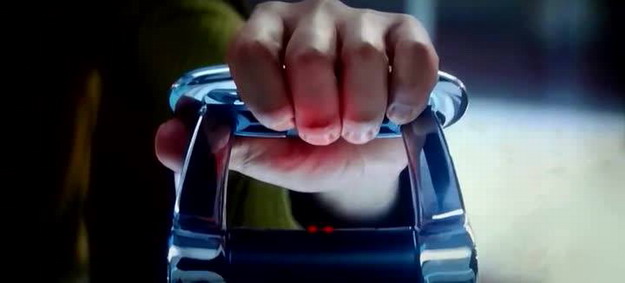
Though, on a serious note, I work in industrial automation and user interfaces, aka HMI's have been touch oriented for quite some time. It was and still is common to see graphical elements which emulate the look of physical buttons used on machinery. This was done to help operators navigate touch screens who were used to panels full of buttons, knobs, and switches.
Recently I rebuilt a machine that was half analog and half digital controls to all digital control. I first started with a full touch interface with provisions for knobs and buttons. During testing operators hated, and I mean HATED the touch screen when it came to virtual potentiometers (one operator got up and walked away saying "this screen is a fucking piece of shit"). I installed encoder knobs to emulate potentiometers and it was a success. Everyone was happy.
Some things just can't be done with a screen. You need physical things to interact with.