One of the best kept secret and one that he should have tried is "Kate".
Good old style editor that is a native app, not an electron app. All the features that you might want and more, but simple and efficient.
And the most important for me, super snappy. I can't bear the latency that you get for typing code when using things like vscode. I don't know how people can appreciate that.
Every piece of KDE software I've tried has been buggy to the point that it's now a red flag to me: Spectacle (silently failed to copy/paste), krunner (refused to close), SDDM (refused to login), Dolphin (ffmpegthumbnailer loops lagged out whole system, SMB bugs), System Monitor (wrong information), KWallet (signal fails to open, data loss)
I have had problems with Spectacle related to permissions on Wayland and I think I experienced the failed to copy bug once.
I have not had any other significant problems for some years - not since KDE4. I do not use SMB but everything else works fine and KDE is my daily driver.
Sometimes I have the image copied but it doesn't paste in the browser. However it can be pasted to GIMP. If I paste it there and copy it from GIMP then I can paste it to the browser.
So who's fault is that? Spectacle's or browser's? Maybe wayland's?
Zed is a no go in my book until they learn to respect their users and stop installing third party software* without asking. Completely unacceptable practice, and their reason of "most people will want LSPs to be there without effort" doesn't cut it.
* nodejs specifically, but it wouldn't be ok no matter what the software was. It's my computer, not yours, don't download and run stuff without getting permission.
Zed is fantastic for Rust, C, C++, and similar languages.
I wouldn't bother using it for Web things like HTML, Js, CSS, because it simply isn't better at that than VSCode. Same goes for C# -- as a Microslop technology, you're better off using Microslop tooling.
I know this is just one data point, but I don't notice any latency when typing code in VS Code. It takes a while to start up, and that is annoying especially for quick short editing jobs, but other than that I never notice any sluggishness. Is this something many people experience?
I can tell for you specifically because everything is specific: machine, hardware, setup, projects...
But I always noticed this latency for everyone I ever saw using vscode or computer that I tried.
To be clear, you might easily not notice it if you are used to that and don't know better. And it is consistent with most electron based apps or editors. But there is a very subtile latency between the time you hit the key in the keyboard and the time that it appears on screen. Basically you are typing letters a little bit in advance. With Kate it is like with a basic text edit, characters appears instantly.
The effect is the same when you type anything in web browsers. In form, editor or whatever.
Project size is obviously going to be a factor, but so is machine specs. It's much more noticeable on a spinning disk. One can partially compensate for the project size aspect by opening vscode as far into your project as possible (eg, the api subfolder) rather than at the root. No real solution if you don't have an ssd though.
I'll get into WSL2 situations where it seems like intellisense activity delays the display of characters I type. Feels like the old dynamic dropdown problem.
I used Kate a note taking app synced with syncthing for a while. Using only md files. I had another md based app on Android that worked similarly.
Kate has a decent file browser for hierarchy and it'll stay in place and not return to a weird default path when you close it. And as you said, very fast to open and use.
For one off Notepad like things I like Mousepad especially because it has the Notepad++ feature of being able to save a session without asking you whether it should. Featherpad is also nice for this kind of use.
I'm a big Kate fan as well, used it for years on all my Linux systems. Recently I got a little fed up with vscode lagging on large files, I bit the bullet and installed Kate on my windows 11 work PC as well.
In addition while kate has many plugins, like the one that allows running arbitrary command line utilities with std input the current selection, I would like to point you at something else in case you write / debug SQLs.
Kate has a SQL plugin that allows to send the current selection to the connected SQL server for execution. It displays the output in table form below the editor pane and you can copy paste rows or columns.
That allows to organize your SQLs in markdown files. That was such a productivity booster for me that simply there are no words to describe the difference felt.
Unfortunately there's some thing about their "session management" that makes it unusable for me. I've used it in the past, but apparently differently. (Would have to dig up the specifics)
Kate is great but as others have said. Zed is great too. My combination of text editors is probably zed when I need Gui and Micro editor when I need terminal. Both have great user experience
Kate is the editor i'm using these days on Linux (even though i use Window Maker for my WM and not Plasma) but it does have a few weird aspects. One of them, which annoys me, is that every "tab" is really its own entire editor with its own state - if you do something like search for a word in one file then switch to another tab, you can't use F3 to search for the same word again in that file because that's actually a different editor and it doesn't know that you searched for something in the other tab. This extends to other stuff, as if the main Kate window is just a window manager for the editors it launches in it and it just pretends the UI is shared.
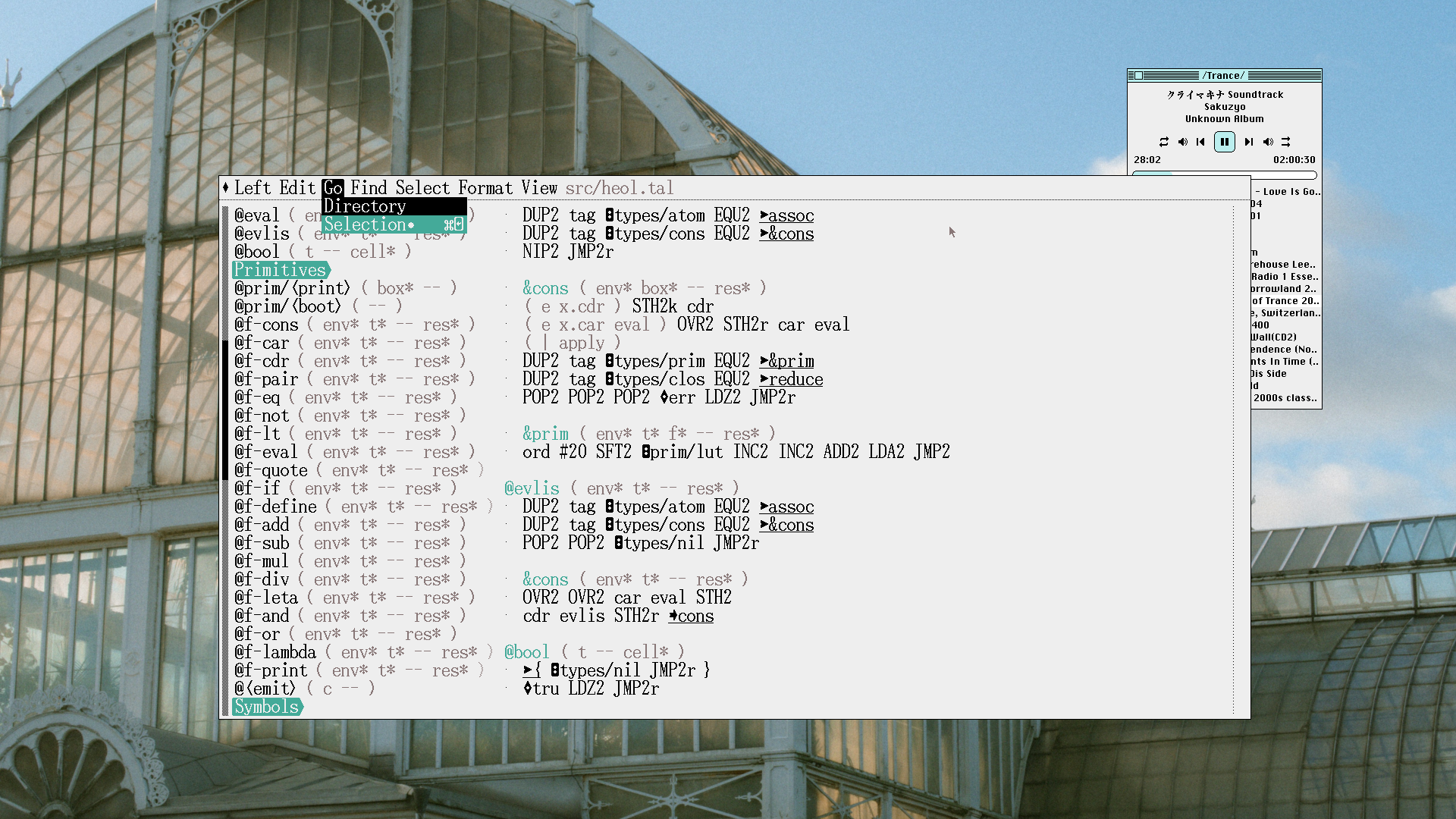
This was so nice to read, I've been trying to encourage my friends to write their own editors, there's something really nice about the process of working within your own tool. I've used my own text editor(it's call Left) for nearly 10 years, it took time to get it just right, but I iterated over the years(using Left to edit Left) but that time I spent putting it together is paid back 20x by the joy it gives me opening it and working in it in the morning.
I also wanted a local copy buffer specific to the project I work on, so I could easily manage multiple copies of the clipboard data(it's part of how I work).
Indeed - I've been using my personal editor for over a decade now. It's a good and comfortable feeling to spend your work day in a tool which fits you perfectly.
I went the same path of writing a text editor from scratch. There are a lot of moving parts, so I tried to outsource as much features as possible - LSP for intellisense, tree-sitter for highlighting and syntax-aware features, fzf for search and file handling, etc. I also tried to design it so that it can be tweaked to one's needs with simple code changes, suckless-style.
It was indeed a pain using it for the first few weeks, where every 5 minutes I found some bug and had to go back and fix it, instead of steadily working on some other project. Good news is more bugs you fix, less bugs is left.
Nice work! And yes, that gradual acceleration of productivity where your fixes and tweaks from the past compound on your ability to get things done in the future is a great feeling.
Firing up VSCode on an old laptop, and having it get totally bogged down running a text editor killed a part of my soul. I'm from the vim era of computing, but I have a hard time telling people that's the route to go today with today's tools.
Classic electron app. vscode is no doubt a powerful tool but it and other apps in the modern milieu are the software equivalent of those big lifted trucks that like to "roll coal" and get like 5mpg highway.
Yes, I remember writing a VB6 driven editor. I was so happy when I got find and replace to work.
I still have the marketing page copy from 2002:
    <UL>
      <LI>Unlimited fully customizable template files</LI>
      <LI>Fully customizable syntax highlighting</LI>
      <LI>Very customizable user interface</LI>
      <LI>Color coded printing (optional)</LI>
      <LI>Column selection abilities</LI>
      <LI>Find / Replace by regular expressions</LI>
      <LI>Block indent / outdent</LI>
      <LI>Convert normal text to Ascii, Hex, and Binary</LI>
      <LI>Repeat a string n amount of times</LI>
      <LI>Windows Explorer-like file view (docked window)</LI>
      <LI>Unlimited file history</LI>
      <LI>Favorite groups and files</LI>
      <LI>Unlimited private clipboard for each open document</LI>
      <LI>Associate file types to be opened with this editor</LI>
      <LI>Split the view of a document up to 4 ways</LI>
      <LI>Code Complete (ie. IntelliSense)</LI>
      <LI>Windows XP theme support</LI>
    </UL>
I went all-in developing that editor. It had a website and forums but it wasn't something I sold, you could download it for free. Funny how even back then I tolerated almost no BS for the tools I use. I couldn't find an editor that I liked so I spent a few weeks making one.
Fast forward 20 years and while I'm not using my own code editor the spirit of building and sharing tools hasn't slowed down. If anything I build more nowadays because as I get older the more I want to use nice things. My tolerance has gotten even stricter. It's how I ended up tuning my development environment over the years in https://github.com/nickjj/dotfiles.
This is definitely aging me, but I'm still disappointed that all caps didn't win. That style made it so much easier to visually parse tags when scanning through the HTML code. I admit that syntax highlighting has mostly done away with that benefit, and now that I'm used to the lower case I don't mind it anymore, but the uppercase always felt better to me. Even reading that example above it feels more natural. Style is a hard thing.
Any chance people in this thread have some recommendations for text-editing libraries? I would love to build my own text editor, to do some things in my own way that no one else seems to have an interest in doing, but one of the big things for me is that it must be a GUI. I won't bore people with the reasons, but that requirement forces me to bring along a lot of stuff, like a font renderer (at least one) and a graphics context.
To do all of that and write a text editing library at the same time is a little more than my nights and weekends can handle. If I start on just the text editor, it'll only work in a terminal console, so I won't actually use it for my own projects. If I start on just the GUI, I won't actually use it because it won't actually work. So, even if I'm going to replace the text editing library at the heart of the project with custom code, eventually, it's pretty much a non-starter if I don't have something to use to get started.
To be honest, I'm kind of surprised to have so much trouble finding a solution here. Everything I find is either a self-contained text editor, or a full-on "mission statement" GUI (development can be easier/better by using our editor's features). I've had a very hard time finding something that is just an API that I can feed input and have it return me reasonable state updates about the text content. CRDTs or whatever.
I'm assuming people just figure you're either going to write a toy text editor, in which case simple text editing will work, or you're going to write a full-blown showcase product, in which case your advanced structural design with performance-focused editing, language servers, multi-cursor support, etc, will be your selling point and functional focus. But that seems to leave this surprising hole where a developer who wanted to "rebuild windows' Notepad app, except that it can handle text files with massive lines without slowing way down" would have to actually implement the advanced text editing line management rather than just use a library for this well-solved problem.
A thing that shocked me as I was working on the text editor was how capable modern terminal emulators are when you account for ANSI extensions. First-class clipboard access, mouse events, precise text styling, focus tracking, system notifications, key press/release events, etc. are all possible with a modern terminal emulator. There's not really anything else you need to build a very competent, ergonomic editor UI.
You can even use tools like trolley to wrap the entire application up in a ghostty-powered shim that presents the application as a native UI application: https://github.com/weedonandscott/trolley
I appreciate this, but I'm not concerned with the capabilities of the terminal or the GUI. What would be unhelpful, to me, would be to build a TUI because then if I wanted to send the actual app state to - for instance, a web browser which runs the library in WASM - the only way would be to pipe the terminal output across the shared buffer, instead of just blitting the app/editor state into it (or the relevant messages, like CRDTs).
Contrast that with a library: I could capture the inputs from any source - browser, native app, network, etc - work with the data using the single library, and then render the result in whatever client (or as many clients) as I wanted.
Several of the lean GUI text editors are built on Scintilla (https://scintilla.org/), which provides a cross-platform editing component that can be integrated in GTK, Windows or Mac GUI apps. Maybe that has too much bells and whistles for you, since it's both about editing and presentation.
I guess I might be misunderstanding what Scintilla is? Everything I've seen with it has it coupled with native controls, like a winform control or a Qt control. Are you saying that the library can be used, on its own, without a graphical component? If so, that might fit the bill!
Yes, Scintilla is a text editor engine library. It's not tied to any particular UI or technology. Out of the box it's not a text editor yet; you provide the frontend. You get all the "table stakes" right away if you build your editor on this library.
Same engine, different frontends. The engine has a series of hooks that you implement in whichever way you please for your particular interface. It's definitely the presumptive choice here.
Ah, I see! Very cool! Yeah, this is the kind of thing I was looking for, so this should give me what I need to test some proof of concepts. Thanks for the links! I do wish there were something a little more ergonomic, but I'm way too far into the begging to be choosing, here, so I'm quite happy to take what I can get.
In any case, I really do appreciate the dual links. It's so much harder to suss out the boundaries of a library with only one implementation. This was really helpful.
I would mention stb_textedit.h, but I would not recommend it. It was an interesting thing to study. but the library has many shortcomings and is pain to integrate and use. It is used in ImGui, but somewhat modified. Just to illustrate the flaws - it can't be used with utf-8 bytes easily, there is a large switch on keyboard shortcuts to trigger actions so you have to fake keyboard input to script things, the default word boundary detection is pretty bad, and there is no way to nicely provide double or triple click selection.
The two notable functions are stb_text_locate_coord() and stb_textedit_find_charpos(), which connect the physical x,y coordinates with position in text buffer. They both iterate lines of text - accumulating y position; and the chars of last line - accumulating x position.
For windowing, drawing and OS integration, SDL with SDL_ttf is actually pretty good. SDL3_ttf API got an improvement and no longer requires zero-terminated strings so you don't need to relocate every chunk.
The copy in dear imgui sources has a few tweaks to make it possible to use with UTF-8 without unnecessary lookups: see `STB_TEXTEDIT_GETPREVCHARINDEX`,`STB_TEXTEDIT_GETNEXTCHARINDEX` and `stb_textedit_text()` use.
I generally love the STB libraries but I have to agree that stb_textedit is/was a false economy at least for my use case of Dear ImGui. I can't fault the design but if you want a fancy text editor the value you get from stb_textedit is rather minor compared to whole things, and it gets in the way. I will aim to remove it from dear imgui at some point.
It's hard to give you a recommendation without knowing the platform details, but if GUI rendering is not the goal, something like raylib might be a great choice to have a cross-platform GUI API, including text rendering.
Great recc! Unfortunately, raylib doesn't quite go as far as I would need. raylib does all of the text rendering in a very clean way, so I love it for that. But as far as actual editing, it doesn't have anything for that (last I checked, at least). It can render the text in way more ways than I need it to, but it can't actually do the editing work that prevents the common text-editing traps like line-based editing.
It's kind of an odd thing, I think. There are a bunch of articles on how you can write your own AST and use all kinds of data ranges (instead of heap allocation) to do deep technical performance optimization, but very few libraries that actually do any of that which aren't also bundled into an inseparable implementation of the library as a control/editor. Feels like there has been enough ink spilled over the "how" that someone would have packaged it up together into a referenceable library. Yet nothing I can find quite fits.
.. but that’s mostly because LOAD81 is just fully great as well .. I’ll have to dig into kilo a bit and see how antirez’ two editors compare with each other ..
This feels like two steps up from a highly customized vim config. But I want one step up.
I want to be able to piece together an editor from modular task specific executables. Different programs for file searching, input mapping, buffer modification and display, etc.
Probably similar to how LSPs are already separated from most editors.
One step less hardcore than writing a whole editor.
Anyone know of any existing projects along these lines?
It steps back from the “customize everything” mantra, believing that approach leaves users with an underdeveloped essential system. But it still has two major APIs: one for window manipulation [2], the other for text-based integration with the surrounding system via plumber [3].
All textual CLI tools (that is, those without pseudographics) work by default and are the heart of its style.
I use Acme for everything except web browsing (although most links are still managed by Acme).
That's still built on top of the hardcoded vim design choices though.
For example, I really like the "select then edit" approach of Helix, but Vim doesn't really play nice with that (there may be better plugins since I last looked to be fair).
File handling, buffer rendering, and frames have very little to do with that, and yet I have to switch editors, lose all my plugins and configurations, and switch all those subsystems at once.
There's missed opportunities for modularization.
Edit: looks like Neovim is already split from its UI.
You're right that changing the whole editing model will involve rewriting a lot of keybindings. You could do that in vim if you really wanted to -- start by remapping motions to enter visual mode first. I don't really know why you'd want that when visual mode is already a keystroke away, but that's ok.
FWIW though if that's what's important to you, I get the sense that kakoune is much more vim-like in making it easy to compose with other tools, while being set up for your preferred editing model.
I use my own text editor too, written using my own programming language. Fortunately Operating Systems suit my needs and I won't have to write my own OS ;-)
I use my own editor too. I modified an existing editor to my own needs. But I do use VSC as well for multi file projects. My editor can load images as well and has a scripting language to manipulate images. I primarily use it to edit my website, which is a static website in bare HTML. It also has some 'browser' functions in the sense that F5 opens a link including jumping to an anker if there is one in the link. It does have colour coding for HTML that also checks for matching tags.
Indeed, all I need is something that connect to a running background repl so I can evaluate code, everything else basically bells and whistles. Others seem to run entire OSes as their editor.
I'm glad we have so many options, and it seems like each year we have even more options :)
He implied replacing nano was the first step, before using it for more complex (software development) tasks. First use it just for quick one-off edits of /etc/blah.conf then graduate to using it for longer editing sessions.
No, nano is not my daily driver. It's what I use when I want to quickly edit a file with root access because, funnily enough, I'm not in the habit of running my primary editor with superuser permissions :) Nano is a low-hanging fruit that was the first of many tools I gradually massaged the editor into replacing.
I would recommend using the ropey crate for easy performance gains. A string buffer is quick to implement but you will hit a wall as soon as you need to edit large files.
It's not that bad. You need really large files to notice.
The largest realistic file I'll ever touch - sqlite3 amalgamation with 270k lines and 9.1 kB - still takes only 6 ms to memmove it on my poor laptop.
Any regular up-to 10k lines file is memmoved in order of microseconds.
Yes, absolutely. I've since switched to rope-backed buffers, but I don't think the rope itself is actually adding much from a performance standpoint, even for really very large files.
We talk about big-O complexity a lot when talking about things like this, but modern machines are scarily good at copying around enormous linear buffers of data. Shifting even hundreds of megabytes of text might not even be visible in your benchmark profiling, if done right.
When benchmarking, I discovered that the `to_pos`/`to_coord` functions, which translate between buffer byte positions and screen coordinates, were by far the heaviest operation. I could have solved that problem entirely simply by maintaining a list of line offsets and binary-searching through it.
That's true for code editing, but it's nice to not have to reach for a different solution when editing huge files. Sometimes I like to open up big log files, JSON test data, etc.
Unmentioned in the post, but I have since switched to a third-party rope library (crop, not ropey). At some point I'd like to implement one myself, but for now this does the job.
Helix is my default, as it's a more mature/stable editor. I fire up Flow Control from time to time to follow how it's developing and for more casual editing. They both do an excellent job overall, but my muscle memory binds me to Helix for now.
(I know Flow Control provides Helix keybindings, but I haven't tried that yet and I generally like to retain the default behavior of an editor so that my user experience is more "portable" across machines.)
> Cursor manipulation is difficult! When you’re using a text input widget, much of the behaviour you expect as table-stakes isn’t something you’re even conscious of. Exactly what happens when you hold a keybinding like ctrl + shift + left is probably muscle memory but the logic required to getting it all playing together nicely is not fun to write.
This is so true. And there are a lot of other cases where we just expect the OS or library to do it for us. Instead, we have to reimplement the wheel. Of course if understanding the wheel is part of the goal, then that works, but if you’re venture-backed good luck justifying the use of time to your investors. This is why Electron’s gravity is so strong.
That is certainly true! If your target is end users, use the off the shelf solution that has been inspected by many eyeballs. The best part of building tools for yourself or a small community of people is that you only need to cover the relatively tiny subset of functionality that you actually use.
I actually did this back in the late 90s! The editor was called "Scorpio"[1]. It was written for the classic MacOS in some version of C with objects, maybe Think C(?). I'm not 100% sure.
It's an amazing fun thing to do, but I probaby wouldn't wan't to do it again now. This thing didn't handle unicode (I had never heard of it), barely handled spell checking and didn't handle bi-directional input.
Text (1 byte per char) was stored in a big array on the heap. Styles were also an array (again on the heap) of fixed length structs. Font information, in the form of fixed-point width tables, was gathered from system calls and cached.
It did actually support inline pictures though, which was pretty challenging.
Writing an editor is a hugely fun project. Highly recommended.
- Software is simpler than you think when you boil it down. There's a massive incentive to over-sell the complexity of the problem a solution is trying to solve, to pull in users. This is true both for proprietary products and, to a lesser degree, FOSS. You can probably replace most of the tools you use day-to-day in a weekend or two - provided you keep practising the art of just building stuff. I'm not saying that you should, but it's worth keeping in the back of your head if a tool is driving you mad.
- You can achieve 80% of the functionality with 20% of the work required to build an off-the-shelf solution. In a surprising number of cases, you can do the same with 20% of the integration cost of an off-the-shelf solution. A lot of software is - to put it quite bluntly - shit (I include a lot of my own libraries in this list!). There are probably only a few hundred really valuable reusable software components out there.
- Aggressively chase simplicity and avoid modularity if you want to actually achieve anything. The absolute best way to never get anything useful out of a project is to start off by splitting it into a dozen components/crates/repositories. You will waste 75% of your time babysitting the interfaces between the components rather than making the thing work.
- Delete code, often. If you look at the repo activity (https://git.jsbarretto.com/zesterer/zte/activity/code-freque...) you'll see that I'm deleting code almost as much as I'm adding it, especially now that I've got the core nailed down. This is not wasted effort: your first whack at solving a problem is usually filled with blunders so favour throwaway code that's small enough to keep in your head when the time comes to bin it and make it better.
- It is absolutely critical that you understand the fundamental mode of operation of the code you've already written if you want to maintain development velocity. As Peter Naur said, programming is theory-building and the most important aspect of a program is the ineffable model of it you hold in your head. Every other effort must be in deference to maintaining the mental model.
Just wanted to thank you for sharing thoughts here and on your website. The article about making your own text editor, the one about how "toy software" is a joy, another about language models, and this comment.. I've been programming since I was a child, and have gone through ups and downs in the industry as well as personally, how I relate to computing - in the context of that experience, I've appreciated your insight. I often find myself nodding in agreement and glad to see the ideas articulated well.
If notation is a tool of thought, and programming is theory-building, the way you're communicating your experience in words is a kind of knowledge transfer to an audience of indefinite scale, a public service that contributes to collective understanding.
Frankly, I spend a lot of time feeling similarly uncomfortable about my relationship with computers and the industry at large. I think, perhaps surprisingly, I'd call myself a 'technophobe' for this reason.
I think there's a parallel universe out there in which the arc of technology bends toward a future I actually want to live in, but I'm fairly sure we aren't in that universe today. But perhaps if we talk more about how to use the darned things in a manner that enhances the human experience rather than detracts, we can get closer to it.


Good old style editor that is a native app, not an electron app. All the features that you might want and more, but simple and efficient.
And the most important for me, super snappy. I can't bear the latency that you get for typing code when using things like vscode. I don't know how people can appreciate that.